November 5, 2008

by Gavin Seim: I had a call recently from a photographer who lost all her preferences, settings and actions because of a crash. For some reason Photoshop lost all it’s preferences and went back to default. The thing is, PS is not meant to hold all our settings permanently. You need to have them backed up. The key is being prepared so when something’s lost, you can take it in stride. Today I’m going to tell you how to do it. Remember that once you’ve stored these settings, re-loading them is as simple as double clicking the file. Click the images to get larger illustrated views as we go along.

1: Give Them A Home:
First, decide where you’ll be backing up your settings. Be it a folder on your hard drive, a CD/DVD or an offsite storage service. Wherever it is find a consistent place that will be separate up from your main computer should you have a total crash.

2: Archive your actions:
Photoshop is not a place to store actions. When you download a new action don’t just load it in the actions palette and expect it to stay there. PS will retain the actions so long as the preference to keep it loaded remains. Also deleting an action in PS does not actually delete the file, it just removes it from the action palette. As long as you have your action files safely stored you’re good. But, if you load an action, and then delete the file expecting PS to retain it forever, your doom is sealed.

I like to make a “favorite actions” set that I store with my other actions. This way all my commonly used actions are in one set that I can load fast. I keep it in PS all the time, but it’s backed up should I have a crash. My other actions are nearby as well, but I load them only occasionally since all my favorites are in one set. You can do this by making a new action set (folder) within PS, then drag your favorite actions into it from other sets, then save your favorites set in a safe place.
Read More

November 4, 2008

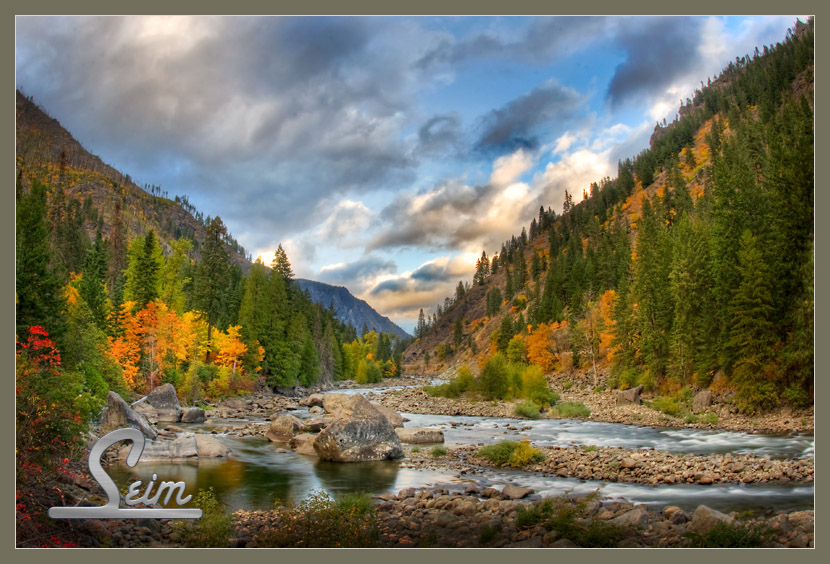
As promised here’s another shot from my recent trip down to the Leavenworth area to shoot nature around the Wenatchee River. This is a few miles up Highway 2, right by the bridge I posted last week.The color and vibrancy of nature in the fall is always so amazing. God sure knows his colors. This is one of my High dynamic range pieces with a few of my effects added. To get the broad range of light I use the tones from three images taken at different brightness levels.

Read More

November 2, 2008

banner3 Power Worklfow Lightroom Presets Finally Here

10/31/08 Seim Effects Photo Tools. Power Workflow 2 now available.

Our sister site, Seim Effects has just announced Power Workflow2

“The Power Workflow Lightroom preset collection was launched in 2007, and proceeded to be one of the most effective and popular Ligtroom preset collections available. Power Workflow2 goes to the next level by adding new effects, better auto corrections, and Enhanced support for Lightroom2, utilizing tools such a post crop vignette”.

This is a pretty exciting realese over at SE. I know many PPS readers are users of the SE Workflow. There’s an introductory price for the new set, and exsisting owners have been sent discount upgrade coupons. Go check it out folks and don’t forget you can use promo code PPS to save 10%

Read More

October 30, 2008

CPPOTW = The Digital Grey Kard

It seems someone is always selling a gadget to get your white balance right. It can indeed be useful to have a grey reading to get your white balance spot on out of the gate. This CPPOTW is the Digital Grey Card.

WB targets work quite simply. Their an 18% gray. You shoot a frame with the gray card in the scene, then later in post production you click it with the WB eye dropper using, Lightroom, Aperture, Camera Raw or whatever you use. The system reads, what you say is 18% gray and balances the rest of the scene accordingly.

I‘ve tried a few targets, and aside from being overpriced many of them are cumbersome, which means I tend not to use them. This set however is like having three business cards on a lanyard. Throw it in your bag, or better yet around your neck and wherever you are you can toss the card in for a WB target shot. It also includes white and black level target.

Nothing big, strange, or expensive. At around seventeen bucks, it may seem like a lot for three plastic cards, but these targets are cheaper than most and do just what they need to. Something every photographer should have in their kit. I’ve linked to Amazon. I’m sure you can find it all over, but the price is right.

Gavin Seim

Read More

October 26, 2008

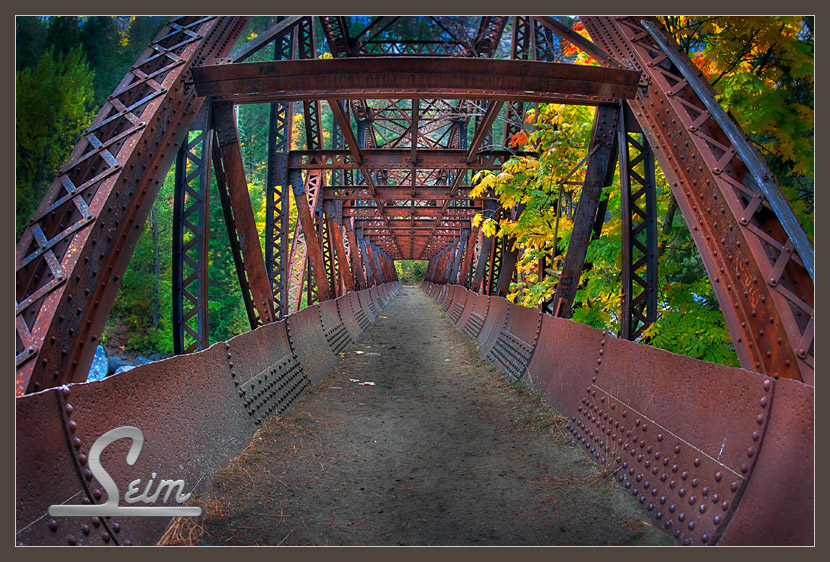
For my last recreational shoot I went down by Leavenworth for the afternoon and drove up Highway 2. The fall colors were amazing. This old pipeline bridge is now a footpath, and spans the Wenatchee river looked really cool. I got some other neat shots of the river itself so stay tune.  I also found a little chipmunk friend who was busy making a dinner of some strange bugs. He started to get used to me after a few minutes, and his dining experience more important than avoiding my camera.

Read More