So as mentioned on the last episode of Pro Photo Show, PPS #76 will be our first ever live call in episode. A photography talk show where we’ll have a panel discussing topics of like normal, but the all of you will be able to tune in live, join the chat room, give feedback and even dial in, ask questions and voice your opinions.
This is all happening on March 24th 2011, at 5PM PST/8PM EST. It’s our first time live and we may be working out a few kinks as we figure out the system, but this should be a blast.
Mark it on your calenders and come join the fun on PPS LIVE. We’ll see you there… Gav
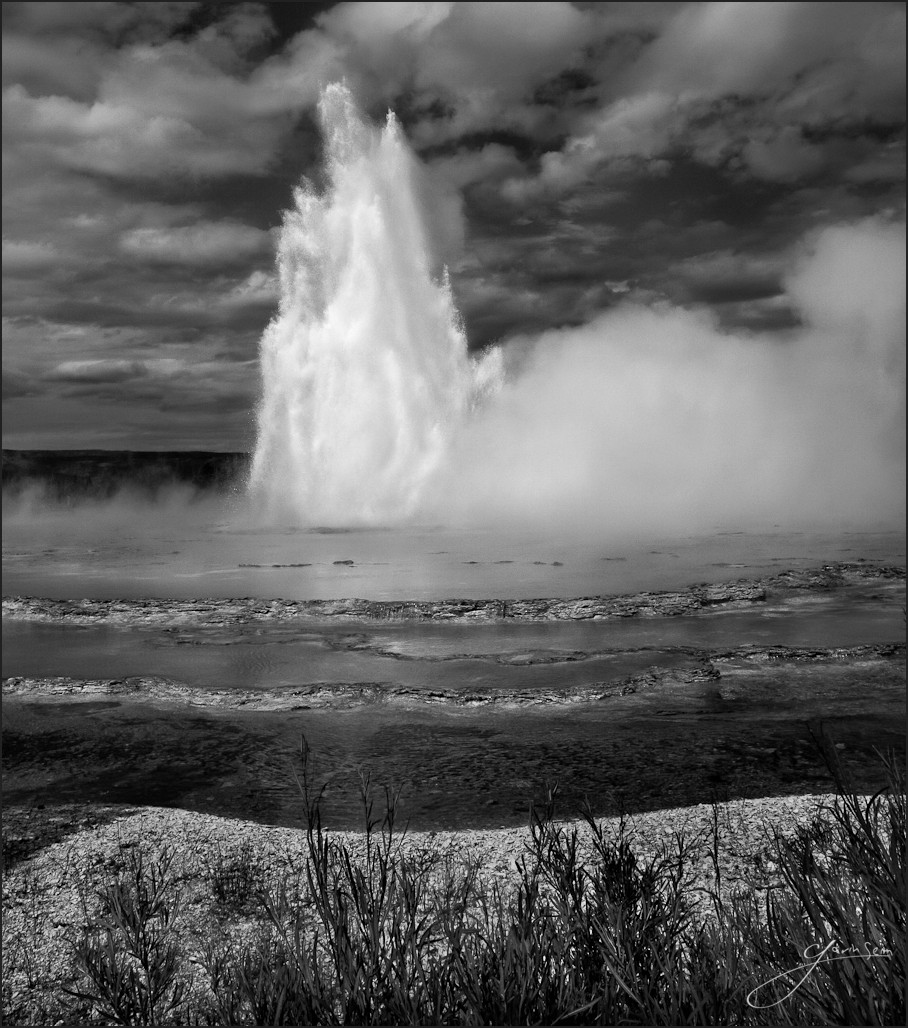
God’s Fist – Yellowstone NP, Great Fountain Geyser
I was the only one there at sunrise and it was beautiful, but not what I had hoped for. Great Fountain steamed calmly away as the sun rose, but no great fingers of water reached skyward. This was not going to be so easy.
Great Fountain is not on a schedule like Old Faithful. It generally blows about once a day and while it can be roughly predicted, it seems to be no exact science. I took a few images of the pool and then begin to wander nearby areas, hoping to catch it later. Around noon I came back to find crowds gathering and cars lining the sides of the narrow loop road. It seemed everyone was here now. But only I had the satisfaction of having been there with the sunrise.
I grabbed my gear and hustled along the line of cars, to where a surprisingly large gathering was taking place. Fortunately most everyone wanted the high vantage points. I just wanted this lowly spot down in the weeds off the roadside. About ten minutes later, she blew. Slow and spurting at first, but then spectacular.
Bright sun is generally not the most ideal light however and my mind was racing like fanatic and I varied the setups I had been envisioning, working with filters and tweaking settings in an attempt to make something memorable of of this scene. The truth is that the resulting sequence from these moments were on my computer until months after I returned home. They sat patiently on my hard drive, waiting for me to become inspired. I saw them now and then, but secretly I was remembering the peaceful sunrise and wishing it had happened then.
In time I sifted through them more closely, thinking in terms on tone, analyzing details and thinking about the process. The light was actually pretty amazing. And there was one frame that stood out above the rest and it was higher and more spectacular than any others from this majestic water show. Once I started working it, I knew I had only needed one frame and this was it. I hope you enjoy… Gavin
Release details: Prints Available.. Order Open Edition originals above.. Master prints and Signature Limited Editions are listed below and can be ordered by contacting gallery.
Released prints….
37 inch Signature Canvas – Limited Edition of, 40 (contact the gallery)
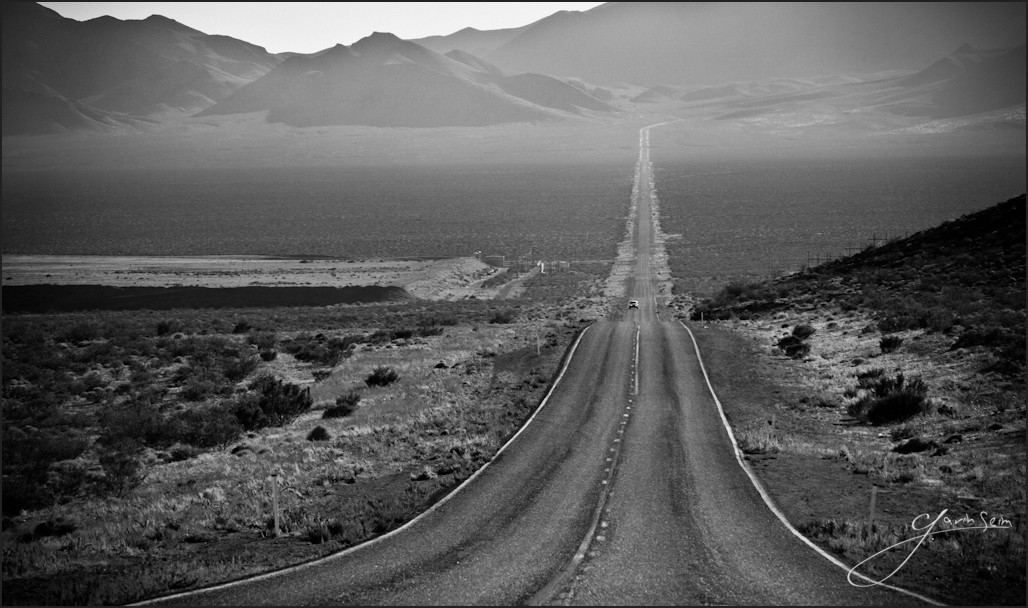
This is one of those photographs that I overlooked for awhile. It’s not earth shattering and it may never be seen as one of my best, but the more I look at it the more it tells a story. The harsh afternoon sun, the heat waves fading into the distance. The approaching car, escaping from the clutches of the tortured hills.
The long line of the road leads my eye in and then it curves away. I know the place beyond is dry and barren. At least I think I know. But at the same time, my sense of adventure wants to go there anyways. It senses there’s beauty (and perhaps water) just over those mountains.
On this roundtable we discuss a lot of tips and mistakes to avoid from various genres of photography. We also get into some news, industry and business talk and more.
by Gavin Seim: Updated 11/22/12. There’s a lot of confusion out there about resolution as it relates to making prints, so I want to help clear it up. I make mostly large prints and spend quite a bit of time studying factors that effect my image quality. Often I use a 5D MK II, which is 21MP. I also use 4×5 film because of it’;s vastly higher resolution. It scans in at closer to 200MP. But to start with lets use an average 18MP file as our example.
First let me say that digital has a long way to go in terms of resolution. Today’s camera’s are amazing, but lets get a perspective. Ansel Adams did much of his work on 8×10 sheet film. It’s hard to compare film to digital exactly, but using a good film he probably would have had a rough equivalent of around 400 million (mega) pixels. This makes our digital cameras look pretty paltry at times and it’s one of the reasons I’ve started working with 4×5 film for some of my projects, as it can give me 200+ effective megapixels when scanned (more of that on my pictorials website).
Say we have a full size file from a Canon 7D. The resolution of that file would be 5184×3456 pixels. About 18 mega pixels (roughly 22x less than that 8×10 film). Our file comes in at just over 11 x 17 at 300 PPI. Note that PPI and DPI refers to Pixels Per Inch or Dots Per Inch (a printing term). For today’s purpose I’ll refer to it as PPI as it’s becoming the more common term.
First and foremost, PPI and actual file resolution (or pixels) are not always the same. For example I could take our file in Photoshop and set the size to 30×20. Unless I told PS to Resample (or increase the resolution) of the file, the computer would now see this file as a 20×30. Only now it would show as being just over 172 PPI instead of 300 because the pixels have not changed or increased, which means there must be less pixel per inch when printed at that size – It’s still an 18MP file. I’ve just told the computer it’s larger in physical print size. What really matter however is if you have enough overall resolution. Here a screen capture to show how I was changing PPI. The PPI on each is different, but the pixel quantity is the same.
So what if I printed this file as a 4×6. I’m not sure why I would want a print that small (see the wall portrait article), but bear with me. At 4×6 our 18MP file would print out at just over 860PPI if we left it at full resolution. That’s a lot since most human eyes can’t see any difference above 300PPI. Bottom line, my file has more than enough pixels. Printing with that extra PPI won’t hurt anything. Though depending on the printer, all that information may not be used.
Why does all this matter. Well mainly so you don’t get confused. PPI has relevance in sizing and printing because it can quickly tell us something about how good our print will be. That brings us to larger prints and how this all relates.
Click for larger view – Gavin’s 30 inch canvas, Bull of the Mist. This a medium sized print. Taken in early morning at ISO 3200 made the detail on this slightly less, but it was needed for shutter speed. As you can see, the detail is good, but not flawless. The canvas helps give it an organic art feel. This was made from a file that was 5464 x 2732 pixels. It was up converted to 9000px wide before print. More about this image here.
Resolution VS Large prints.
This is where things get subjective. I’ll speak from my own experience as I regularly produce prints 40 inches and beyond. With our 18MP file we know we have plenty of information for a baby print. What about a serious print meant for the wall. Lets look at that 20×30 again. Lets go into the “Image Size” box of Photoshop and changing the file dimensions to 20×30, without altering the resolution as I did above. I left Resample un-checked which means I changed the print size but not the amount of pixels in the file. We’ll now have 172PPI at a print size of 30×20. Are you getting it? This is telling us how much information we have to lay on paper in terms of real life printed pixels – 172PPI is not bad. Most peoples eyes can probably see a bit more detail than that, but the print should still be good.


 So as mentioned on the last episode of Pro Photo Show, PPS #76 will be our first ever live call in episode. A photography talk show where we’ll have a panel discussing topics of like normal, but the all of you will be able to tune in live, join the chat room, give feedback and even dial in, ask questions and voice your opinions.